What is AI? A beginner's complete guide to artificial intelligence
If the words "artificial intelligence" make you think of robots, science fiction, or something only software engineers need to understand, this guide is for you. For most people, AI means ChatGPT. You type something in, it types something back, and it somehow seems to understand what you mean. But there is a lot more happening under the surface, and in 2026, AI's capabilities have grown far beyond a text window on a screen.
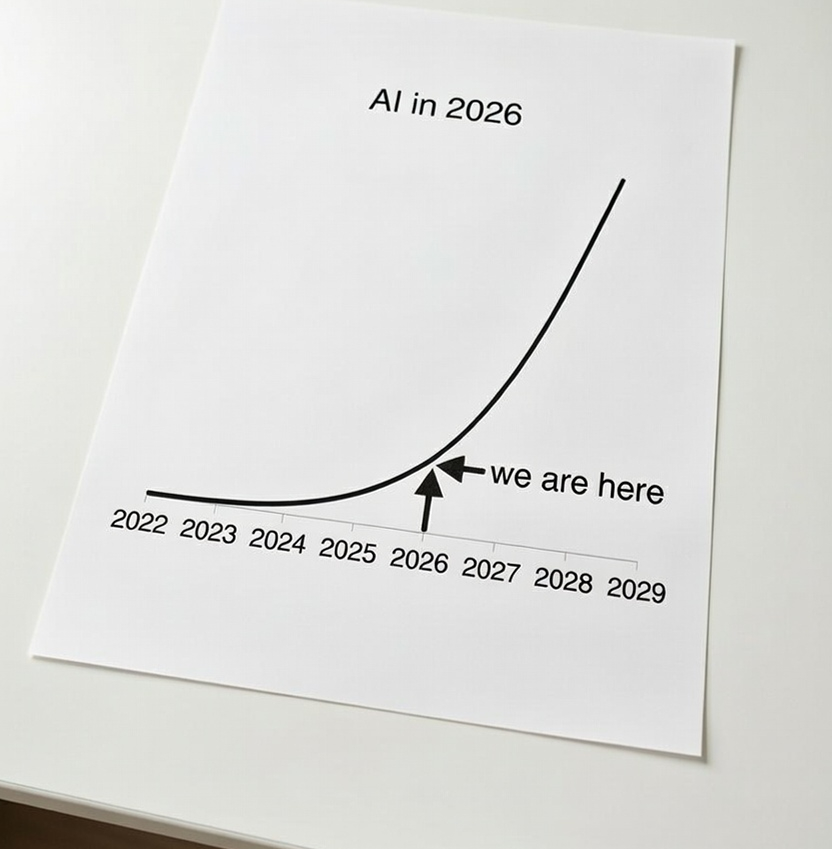
AI is also moving at a pace that makes it genuinely hard to keep up with, even for people who follow it closely. It seems to come up in every conversation, every industry, and every news cycle, yet most people are still working from a mental model of what AI looked like a year or two ago, which is a very different picture from where it stands today.
This guide will walk you through what AI actually is, who the major players are, what it can realistically do for you right now, and how to take your first steps. No technical background needed.
And if you have never used AI at all before today, here is your homework before reading any further: go to ChatGPT, create a free account. Once logged in, you should see a window with a chat box near the bottom. In the chat box, ask it to "write me a simple but meaningful poem". That one interaction will give you the best picture of what AI actually is.
The thing most people get wrong about AI
Most people think AI is ChatGPT. That is understandable. ChatGPT was the product that brought artificial intelligence to the mainstream in late 2022, and for many it was the first time they had interacted with something that felt genuinely intelligent.
But ChatGPT is just one product from one company. Artificial intelligence is a much broader field, and today there are dozens of tools built on top of it. Some AI tools are for chat. Some generate images or video. Some write and debug code. And some, called agents, can now perform complex tasks on your computer entirely on their own, without you lifting a finger for each step.
The field of artificial intelligence has moved faster than almost any technology in recent memory. What felt like magic two years ago is now a standard feature.
How we got here (the very short version)
AI has been a research field since the 1950s, but most of that work lived in universities and labs. The shift happened between 2020 and 2022, when a new approach called large language models matured enough to be genuinely useful for everyday tasks.
Large language models, or LLMs, work by training on enormous amounts of text. Through that training, they learn patterns in language well enough to generate coherent, useful responses to almost any question you ask. Think of it less like a database lookup and more like a very well-read colleague who has absorbed an enormous amount of information and can apply it to whatever you are working on.
ChatGPT launched in November 2022 and reached 100 million users faster than any consumer app in history. Since then, almost every major technology company has released its own AI products, and the pace of improvement has only sped up.
In 2026, we are now in what many people call the "agentic era." AI has moved beyond answering questions. It can take actions, make decisions across multiple steps, and work through tasks the way a human colleague would. More on that later.
Frequently asked questions about AI
Will AI replace my job?
Honestly, it depends on the job and how fast people in that field adapt. Our take: the bigger risk is not AI replacing you, it is someone who knows how to use AI well doing the work faster and better than someone who does not. Learning how to apply this technology to your specific work is the most useful thing you can do right now.
Is my information safe when I use AI?
Be thoughtful about what you share. Most free plans use your conversations to improve the model, which means a human or automated system could potentially review them. You can turn data sharing off in most apps under Settings > Privacy. For businesses handling sensitive or client data, you will generally need a paid plan that includes a Zero Data Retention policy, which means your data is not stored or used at all.
Is AI just for software engineers?
Not even close. AI is intelligence you can apply to almost any domain, and it is already touching every job that involves a computer. Sales, marketing, finance, HR, legal, operations, consulting: the list goes on. If part of your job happens on a screen, AI can help with it.
The major companies in AI right now
You will hear a handful of names repeatedly as you explore this space. Here is a quick map so you know who is who:
OpenAI makes ChatGPT and the underlying GPT models. OpenAI is the company that started the modern AI boom and remains the most recognized name in the field.
Anthropic makes Claude. Anthropic was founded by former OpenAI researchers with a focus on building AI that is safe and reliable. Claude recently exploded in popularity from its ability to do useful work with its agent features.
Google makes Gemini. Google has spent years doing foundational AI research, and Gemini is its consumer-facing product. It integrates tightly with Gmail, Google Docs, Drive, and the rest of Google's ecosystem.
xAI, makes Grok, which has unique real-time access to X (formerly Twitter) data, making it particularly useful for understanding live public conversations.
Microsoft has invested heavily in OpenAI and built Copilot directly into Microsoft 365 tools like Word, Excel, PowerPoint, and Outlook.
Each one has its strengths, and which is right for you depends on what you need. We compare all five in detail here if you are already thinking about upgrading from a free account.
What AI can actually do for you in 2026
There is a lot of noise around AI. Some of it is hype. Some of it undersells what is genuinely possible. So let us be specific.
AI is very good at:
- Reading and summarizing: long documents, contracts, reports, and email threads
- Drafting text: emails, documents, proposals, reports, and presentations
- Research: pulling together information from many sources into something usable
- Analyzing data: across spreadsheets and other sources
- Answering questions: across almost any domain, from legal to medical to financial (with appropriate caveats on accuracy)
- Software: writing, reviewing, and debugging code
- Brainstorming: outlining and structuring ideas
- Handling repetitive tasks: daily tasks and workflows that would otherwise take hours
There is a common assumption that AI "just makes things up" and therefore cannot be trusted. The technical term for this is hallucination, and it is a real limitation. AI can occasionally generate plausible-sounding information that is not accurate. However, this issue is much less common than it was two years ago, and it drops dramatically when you give the AI clear context and good instructions.
Most of the time, AI does not fail because the task was too complex. It fails because the instructions were too vague. The skill of giving AI the right context is learnable, and once you have it, AI becomes a genuinely powerful tool for almost any knowledge work.
Your job probably qualifies
One of the most common things we hear from people just starting out is: "My job is too specialized" or "My work is too niche for AI to help."
This is almost never true.
Think about any part of your working day that involves a computer. Emails. Documents. Reports. Spreadsheets. Research. Analysis. Troubleshooting. Strategy. Presentations. Client communication. If any of those things are part of your role, AI can help. The barrier is not the technology. The barrier is knowing what to ask and how to ask it.
Here is a short list of job types where AI is already making a meaningful difference today:
Sales, marketing, HR, legal, finance, accounting, project management, business analysis, customer support, software development, consulting, operations, content creation, executive assistance, and recruitment.
And that list is far from complete. The general rule we go by is if your job involves sitting at a computer and working with information at any point in the day, AI has something to offer you. The biggest challenge is learning how to give it the right context for your specific work.
That is where prompting comes in.
What is prompting, and why does it matter?
A prompt is simply what you type into an AI tool. The quality of what you get back depends enormously on the quality of what you put in.
Most people start by typing short, vague questions the way they would type into a search engine. That works fine for basic lookups. But when you want AI to do something genuinely useful, you need to give it context: who you are, what you are trying to accomplish, what the output should look like, and any constraints that matter.
Think of it like briefing a very capable new hire on their first day. A detailed brief gets you a polished first draft. A vague brief gets you something generic that needs significant fixing. The AI is not the bottleneck. The brief is.
Learning to prompt well is the single most valuable skill you can develop as an AI user. We have put together a full guide on how to write better prompts here. If you are just getting started, that is one of the most worthwhile things you can spend thirty minutes on.
Free versus paid: what do you actually get?
Every major AI product has a free tier. The free tiers are genuinely useful, and if you are just starting out they are the right place to begin.
The paid plans, typically around $20 per month, unlock several meaningful advantages:
- Access to the most capable models (free tiers use older or lighter versions that are noticeably less capable)
- Higher usage limits so you can use AI throughout the day without hitting a wall
- Features that are simply unavailable on free plans: AI agents, image and video generation, much longer context windows, and priority access during busy hours
Whether an upgrade is worth it comes down to how much you are actually using it. If you find yourself hitting limits or wanting stronger responses, the paid plan is almost always worth the cost. Our full comparison of paid plans is here.
AI agents: what they are and why they matter
I want you to pay close attention to this section. If you only take away 1 thing from this page today, it should be that AI agents are becoming extremely capable, and that they will likely change the way you work in the next year, and in years to come.
If regular AI chat is like having a knowledgeable colleague you can ask questions, AI agents are like having that same colleague sit down and work through an entire task with you, or for you.
Agents can read your files, browse the web, open applications, and carry out multi-step workflows without you doing each step manually. Instead of you copying text from a document into a chat window, an agent reads the document directly. Instead of you visiting five websites and taking notes, an agent does that research and hands you a finished summary.
Some of the most popular things people use agents for right now include managing email, building research reports, organizing files, creating documents from scratch, and automating repetitive processes. Our top seven use cases for AI agents is a good place to see what is possible with specific examples.
But, if you're a beginner to artificial intelligence and are still trying to understand what AI is, you don't need to dive in head first just yet. For a current snapshot of where AI agents sit in the broader landscape, our state of AI in 2026 page gives a clear overview. And if you want to go deeper on agents specifically, the intro to AI agents section is built exactly for that.
How to stay on top of a fast-moving field
AI is evolving faster than almost any technology in recent memory. A capability that does not exist today may be a standard feature in six months. Keeping up does not need to be a full-time job, but a little structured attention makes a real difference.
There are podcasts, newsletters, YouTube channels, books, and courses that cover the space well. The challenge is filtering genuine signal from noise and hype. We have done that work for you in our best AI learning resources guide, which covers the sources worth your time across different formats.
Where to go from here
If this guide has given you a useful foundation, here are the logical next steps depending on where you are right now:
If you have not yet used any AI tool: Start with the free tier of ChatGPT or Claude this week. Do not just experiment in the abstract. Apply it to one real task: an email you need to write, a document you need to summarize, or a question you have been trying to research.
If you are on a free tier and want more: Read our comparison of paid plans to decide which subscription fits your needs and budget.
If you want to get meaningfully better at using AI: Work through our smart prompting guide. It is the fastest way to level up the quality of what you get from any AI tool.
If you are ready to try an AI agent: Our guide to setting up your first AI agent walks you through the whole process with no technical knowledge required.
The rest of this site is built to take you from beginner to confident AI user, one practical step at a time. The best thing you can do is start with one real use case and build from there.